
iLAB Creative Spaces
iLAB Creative Spaces are learning environments where you can explore various technologies. They provide plenty of space to work on creative projects.
All iLAB equipment and software is available for public use, free of charge.
A full PDF list of permanent iLAB equipment and software for each location is available. See iLAB Equipment & Software Available.
Reserving equipment
- You can reserve equipment through our online reservation system for up to four hours.
- Reservations are required. These include a signed or digitally signed iLAB waiver by an adult.
- You may reserve more than one piece of equipment at a time.
- Please arrive on time or your reservation may be lost.
- All iLAB equipment use must be completed 30 minutes prior to library closing time.
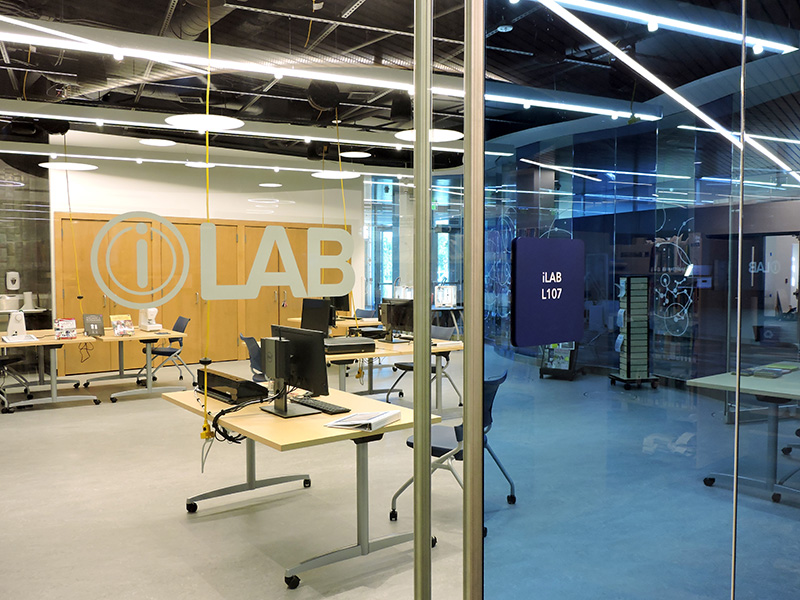
iLAB equipment and locations
Use our sound booth and microphones to record and edit music, podcasts and more.
Reserve at:
Use Adobe Creative Suite, including PhotoShop, InDesign and Illustrator.
Reserve at:
Convert your VHS tapes to a digital file you can upload to the cloud, a flash drive or a DVD.
Reserve at:
Use our Ultimaker 2+ Connect printers to print your 3D models. PLA filament provided.
Reserve at:
- Farmington
- Galaxie
- Heritage
- Inver Glen
- Kaposia
- Pleasant Hill
- Robert Trail
- Wentworth
- Wescott
3D Printing Mentor
You can reserve an appointment through our calendar for one-on-one assistance with your 3D printing projects. Reserve an appointment with a mentor at:
Janome Schoolmate sewing machines are available to mend, hem or create something new. Basic sewing accessories are provided – bring your own fabric and thread.
Reserve at:
Sewing Mentor
You can reserve an appointment through our calendar for one-on-one assistance with your sewing projects. Reserve an appointment with a mentor at:
Sew, finish and trim away seams and raw edges in one easy step for professional looking results using our Janome serger.
Reserve at:
Use the AccuQuilt Go! Big fabric cutter and dies to cut fabric for quilting, appliques and more.
Reserve at:
Use the Silhouette Cameo for cardstock, vinyl, and stickers to create unique projects.
Reserve at:
Use a typewriter to embellish your scrapbooking, address envelopes and more.
Reserve at:
Bring images in to make 2.25-inch pin back buttons. Limited supply of buttons provided for each reservation.
Reserve at:
Additional iLAB Information
iLAB hours
iLABS are available for public use during library open hours. iLABs close 30 minutes before library closing time.
Library staff are available to help.
Get help at an appointment
One-on-one appointments are available for iLAB equipment reservations.
iLAB volunteers available
iLAB volunteers are available at our Galaxie, Heritage, and Pleasant Hill locations.
Please contact the library location to learn more.
Bring your own supplies
Some pieces of equipment require you to bring your own supplies. An example is fabric for use with the sewing machine. Work cannot be saved to library computers. If you need to save your work, bring an external drive or storage device or upload to a cloud-based service.
For 3D printing, the library will supply the filament material needed to print your 3D model.
You don't always need a library card
Most equipment doesn't require a library card.
You will need a library card to use the following:
- Wireless keyboard and mouse for Mac computers
Take a tour
If you'd like an individual or group tour, please call the library of the iLAB location you'd like to visit. Tours can be given during most iLAB open times if staff is available.